


Insta360 ONE X2 Review

For those with no prior experience with previous models, it should be noted that this camera works fundamentally differently from "normal" cameras. Even more so than with conventional videos, which also rely on recording quality but only become a proper film through editing, the Insta360 ONE X2 only unleashes its full potential through the software available (for free) in the App Store.
The camera itself only allows you to select very basic settings, such as the two settings for the recording angle: 150° or 360°.
All functions and effects are only created in the software by teasing out the raw material.
Case report:
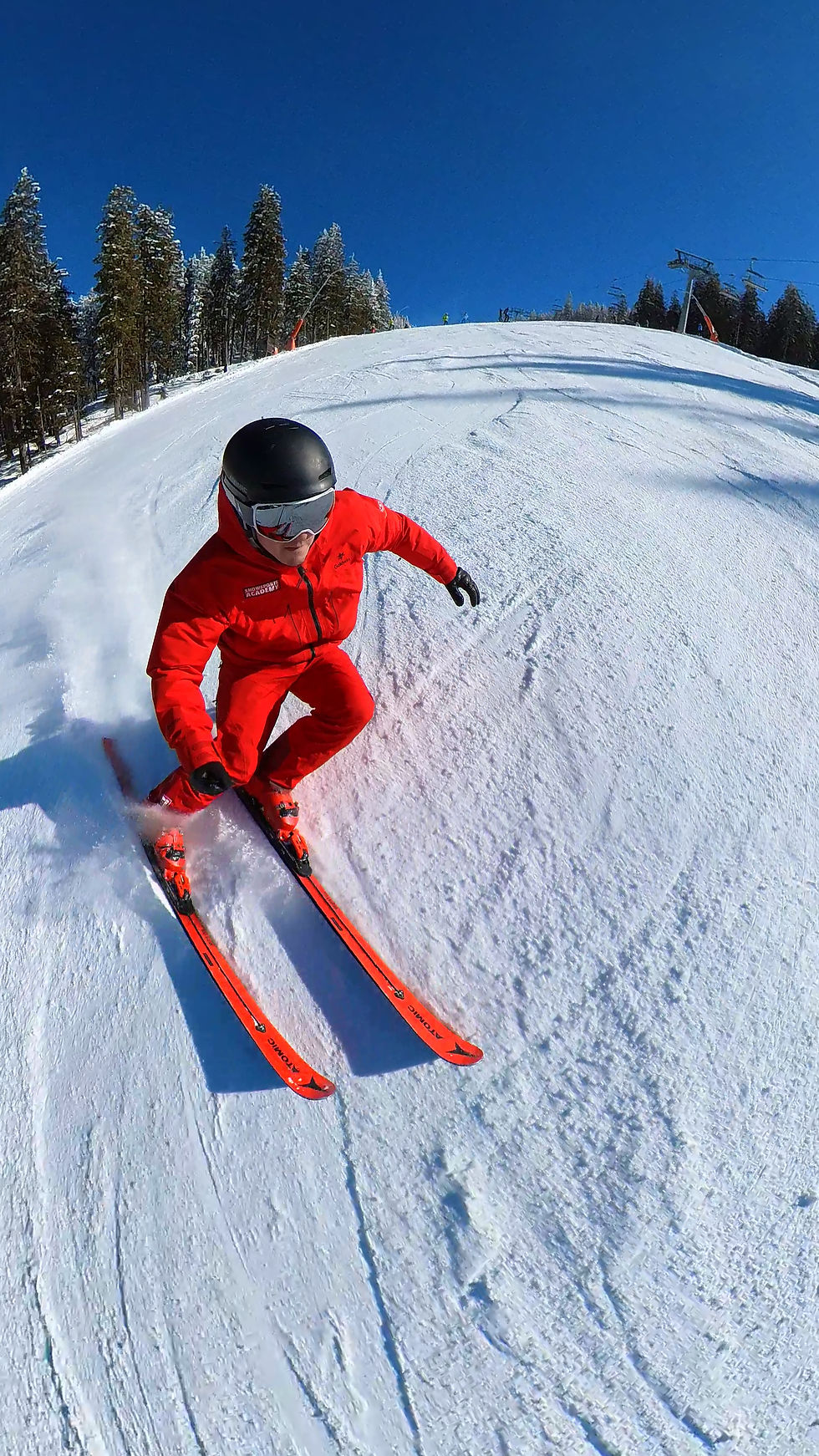
The image stabilizer is sensational. Even the vibrations during landing are imperceptible in the video and appear as if the drone were gliding smoothly.
The camera stick is reliably and completely removed from the image. Selfies always look like they were filmed by a drone.
The 360° function, or software-based tracking, allows filming completely independently of the object's orientation. The software keeps the selected object in focus very well and tracks it reliably.
A built-in screenshot function makes it easy to extract images from the existing video. The camera is waterproof without an additional protective case.
The app itself takes some getting used to for newcomers. Navigating within the app is initially less intuitive compared to other apps. However, this is not comparable to other software programs that are often criticized for this. After some time and a tutorial or two, you'll find your way around quite easily.
Our favorite apps:

1) 360° - “Selfie” & “Follow”
Recording a ride, either alone with the camera stick in hand or filmed by a second person, is "only" a classic way to use the Insta360 ONE X2, but in combination with the advantages of good image stability and software tracking, it opens up wonderful impressions.
Naturally, snowboarders, who don't use poles, have a clear advantage over skiers when it comes to taking selfies. A device that attaches the camera directly to the ski pole would solve this problem, eliminating the need to hold both the pole and the camera stick simultaneously.
The distortion of the fisheye lens provides special action images, but can lead to disadvantages in certain motion analysis shots.
The challenges of taking selfies disappear when filming another person. With this camera, it's much easier to track someone than with conventional cameras, as the software handles the focusing afterward. This allows you to keep your eyes on the slope while filming and almost completely disregard camera orientation. After editing, the subject will always be centered in the frame or in any other desired position, regardless of your position relative to the subject during filming.
2) "Clone Trail" function
We particularly like the Clone Trail feature. Depicting a person in different positions during a movement sequence is a classic way to visualize movement in sports. For this, the camera is mounted on a tripod. The person being filmed can then move past the camera at a distance of a few meters. The app software then generates the result. Individual movement elements become visible, such as changes in position during the movement.
3) “Auto Time Shift” function
The Auto Time Shift function is a video editing option provided by the app developers. It's ideal for highlighting special features and waypoints along a ski run. This allows you to emphasize lift stations, mountain huts, or junctions, among other things. The software recognizes these prominent elements, pauses the time-lapse footage, and then shows them in slow motion.
Advantage: It's a wonderful way to orient yourself in an unfamiliar environment. However, you can't define the important waypoints yourself; you have to trust that the software will recognize them during editing. Once they're recognized, though, you can choose whether or not to use them.
Summary:
The Insta360 ONE X2 impresses with its recording quality and app-based video processing. The camera itself is very easy to use, although navigating the app sometimes requires a bit of patience and practice. The diverse and creative possibilities offered by the hardware and software solutions set it apart from standard cameras or traditional action cams and deliver outstanding results. This camera offers many effects-oriented functions and several very useful applications that will enrich our work in the training and further education of ski and snowboard instructors.

Comments